If you want to bring immersive, interactive experiences into your software, virtual reality offers a powerful pathway. This guide explains how VR works, why it benefits modern applications, and the practical steps needed to integrate it into your development workflow. By the end, you’ll understand how to plan, design, build, and launch VR features that enhance engagement and expand what your software can achieve.
Understanding Virtual Reality In Software Development
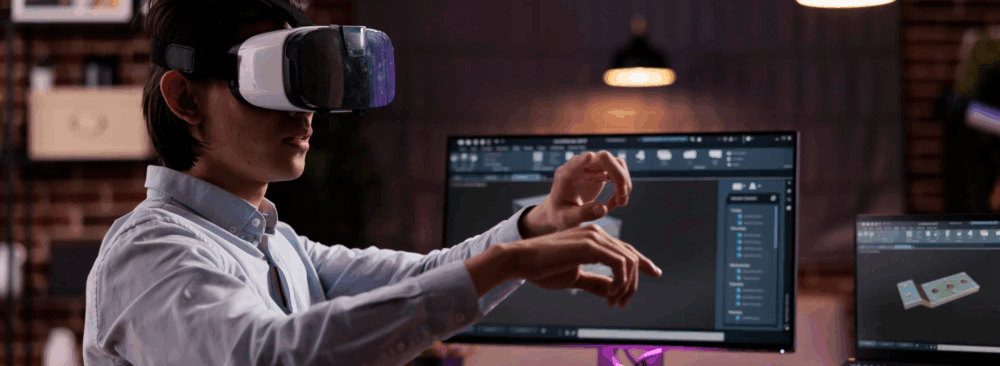
Virtual reality places users inside a digitally created three-dimensional world. Instead of interacting through a flat screen, users explore environments that respond to their movements, creating a strong sense of presence. Headsets, controllers, sensors, and audio systems work together to track motion and provide visual and auditory cues.
VR experiences come in different forms. Fully immersive VR uses headsets and controllers to place users directly inside a virtual environment. Semi-immersive VR blends real and virtual elements, often used in training or education. Non-immersive VR delivers a lighter experience through a standard screen but still provides a three-dimensional perspective.
In software development, VR involves creating 3D models, building interactive systems, and optimizing rendering performance. These tasks open new opportunities across training, entertainment, design, real estate, and customer engagement.
Key Benefits Of Adding VR To Software Projects
VR increases engagement by surrounding users with interactive environments rather than static screens. This makes the experience more memorable and encourages users to spend more time exploring the software.
VR also enables realistic training without real-world risks. Medical simulations, industrial safety training, and complex hands-on learning activities become safer and more repeatable in a virtual environment.
Another benefit is cost efficiency. By replacing physical setups, equipment rentals, or travel needs, VR training, demonstrations, and virtual tours help organizations reduce long-term expenses while improving access and consistency.
Essential Tools For VR Development
VR development relies on a blend of engines, modeling tools, and platform-specific kits. Common components include:
- Game engines such as Unity or Unreal Engine
- 3D modeling tools like Blender or Maya
- Software development kits that support specific devices
Game Engines For VR
Unity is a popular choice for cross-platform VR development thanks to its flexibility and extensive library of VR-ready tools. It supports rapid prototyping and provides features that simplify interaction design. Unreal Engine offers high-quality visuals and advanced rendering capabilities, making it suitable for architectural walkthroughs, simulations, and visually rich experiences.
3D Modeling Software
Building VR environments requires detailed models that feel believable from every angle. Tools such as Blender and Maya allow developers to create objects, environments, and animations that behave consistently in a 3D space. These tools are essential for shaping the visual foundation of your VR project.
Software Development Kits
SDKs allow your software to work correctly on specific VR platforms. Examples include kits for Oculus, PlayStation VR, SteamVR, and mobile-based headsets. They provide libraries, examples, and tools that ensure compatibility and reduce development time. Selecting the right SDK ensures smooth setup, optimized performance, and proper hardware integration.
Steps To Integrate VR Into Your Software Projects
- Plan your experience and define goals
- Create early prototypes to test concepts
- Develop interactions, environments, and assets
- Test repeatedly across devices
Initial Planning And Conceptualization
Start by identifying the purpose of your VR feature and the core experience you want users to have. Determine whether the project requires full immersion or a lighter VR approach. Planning also includes clarifying user needs, documenting goals, and choosing the platforms you intend to support. Creating a minimum viable product helps you validate ideas early without committing to full development.
Design And Prototyping
Wireframes, storyboards, and simple 3D layouts help map the structure of the VR experience before building anything complex. A basic prototype allows you to test navigation, interaction patterns, and comfort levels. User feedback at this stage helps refine the design and prevents costly adjustments later.
Development And Testing
The development phase focuses on building the environment, coding interactions, integrating models, and preparing audio. Testing plays a major role because VR depends heavily on performance and comfort. Issues such as lag, motion inconsistencies, or visual glitches can disrupt the experience, so teams test frequently across different headsets and hardware configurations. Automated testing tools and incremental builds help maintain reliability throughout the development cycle.
Managing VR Project Challenges
VR development often introduces challenges such as hardware limitations, higher production costs, or the need to prevent motion discomfort. Some users may resist adopting VR due to unfamiliarity or concerns about comfort. Performance issues can also arise if rendering demands exceed device capabilities. Staying aware of these barriers and planning around them helps ensure a smoother development process. Teams often overcome creative or technical blocks through collaboration and experimentation. Monitoring updates in VR technology also helps address long-standing issues such as latency and device compatibility.
Healthcare Training Simulations
Healthcare organizations have adopted VR to deliver safe, repeatable training experiences. Simulations allow medical professionals to practice procedures without risk, building confidence and improving outcomes. Some hospitals and research groups also use VR for therapeutic purposes, helping patients manage pain or process traumatic experiences. These uses demonstrate how VR can support both skill development and patient care.
Virtual Tours In Real Estate
Real estate companies use VR to present detailed property tours that buyers can explore from anywhere. Users can walk through rooms, examine layout options, or visualize renovations without visiting the property in person. This approach saves time, offers richer insights than photos alone, and improves decision-making for clients and agents.
Future Trends In VR Technology
VR continues to evolve quickly. Next-generation headsets are becoming lighter, more affordable, and more comfortable. Advances in resolution, tracking accuracy, and rendering quality will make VR experiences more natural and convincing. The integration of AI will support more adaptive environments and interactions, adjusting to user behavior in real time. VR is also converging with augmented reality and mixed reality, creating blended experiences that merge digital and physical elements more seamlessly. These extended reality technologies will expand what’s possible in training, entertainment, collaboration, and beyond.
Summary
Integrating virtual reality into your software projects can elevate your applications with immersive environments, interactive training, and memorable user experiences. By understanding the fundamentals of VR, selecting the right tools, following a structured workflow, and preparing for common challenges, you can build VR features that engage users and deliver meaningful value. As VR technology continues to advance, the opportunities to innovate will only grow, making now an ideal time to explore what VR can bring to your software.